
Interactive Flows
Your flows, guided step by step.
Your technicians are following different procedures on different sites. Some working from memory. Some from a printed sheet last updated two years ago.
Interactive Flows fixes that. One guided experience. Every technician. Every site. Every time. Step-by-step 3D flows that run on any device, in any reality, and in 13 languages.
13+
Languages
9+
Node types
60%
Fewer support escalations
One build
Any Device
What you can achieve
Interactive Flows is built around four measurable operational outcomes. Every feature on this page connects directly to one of them.
Your whole team works to the same standard
Every technician follows the current, published procedure. Not a version memorised in training three years ago. Set the standard once and it deploys everywhere. New starters learn from the same flows your experienced team uses. Your best people stop being interrupted. Your new people stop being a liability.
Errors get caught before they cause damage
Decision nodes handle every branch: safety checks, troubleshooting, exceptions. Your technicians follow the correct path. Even through the most complex procedures.
Your institutional knowledge survives
When your most experienced engineer retires, their expertise stays in the flow. Always current. Accessible on any device.
One build. Every device. Every reality
One flow runs on smartphones, tablets, PCs, Microsoft HoloLens 2, HMS SiNGRAY G2, and VR headsets. In AR, VR, or standard 2D mode. No rebuilding for each device.
How it works
From work instruction to guided execution. In minutes.
Step 01
Build the flow
The Interactive Flow Editor is a visual, drag-and-drop builder. No coding. Add step nodes, decision nodes, warning nodes, and multi-choice branches. Attach text, images, PDFs, video, 3D animations, and AR markers to any step. Chain flows together for modular procedures.
Step 02
Connect it to the equipment
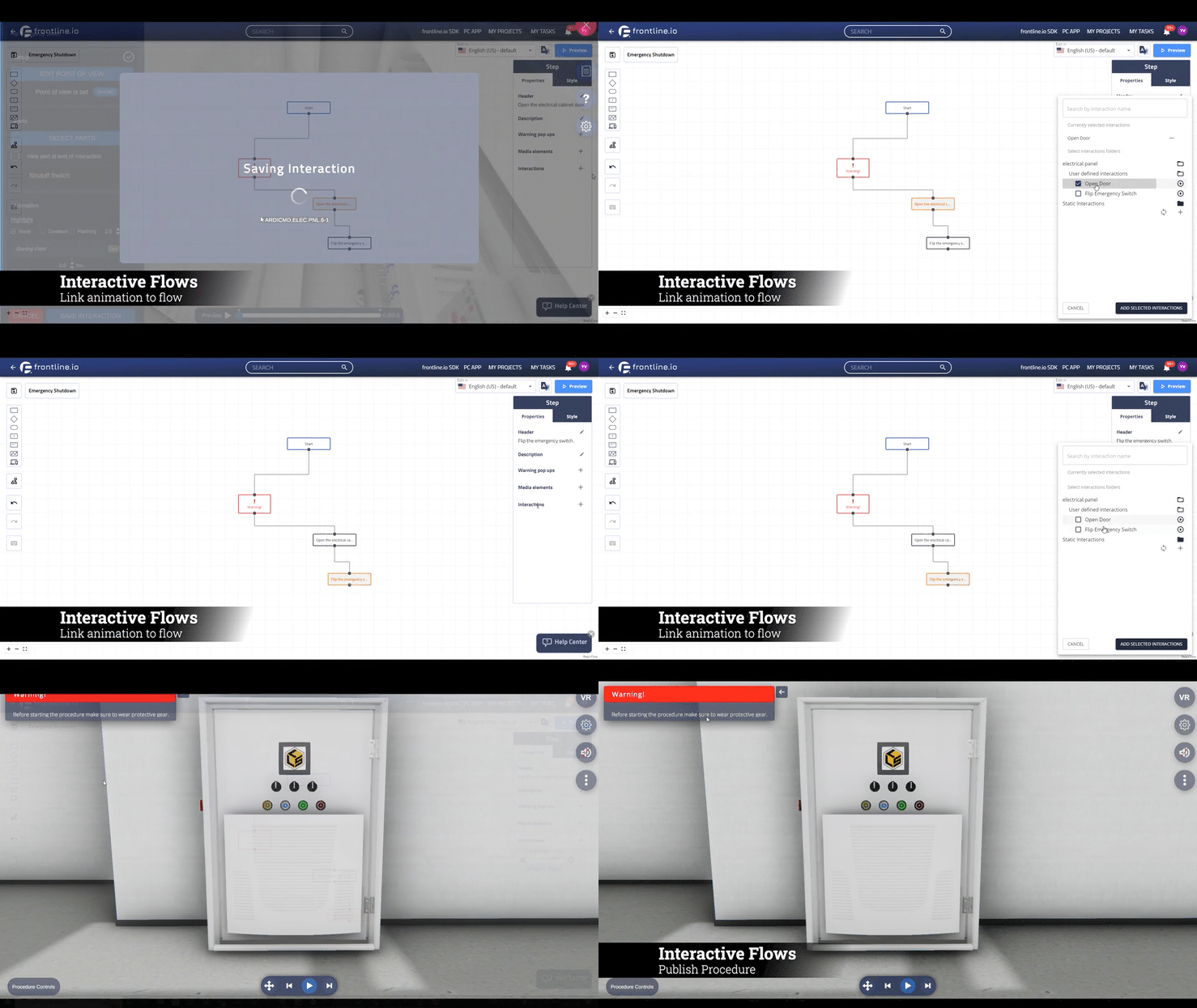
Link any step to a 3D animation built on your Digital Twin. Select the parts. Define the movement. The equipment moves with the instruction. Animations are stored in the project and reusable across all flows.
Step 03
Translate it for every market
Use AI translation to convert a complete flow into multiple languages in one click. Or translate individual nodes. Or add a single new language without touching the rest. Upload language-specific media assets per step. 13 languages supported.
Step 04
Publish it to the field
Publish in one click. Share via QR code, deep link, or LMS. Your field teams need no training to run a published flow. Set visibility by role, team, or equipment type.
Step 05
Learn from every run
Every session is recorded. Steps performed, decisions taken, inputs collected, and completion status are all captured. Data is compatible with leading AI and BI systems.
From Interactive Flows to execution
Interactive Flows connects to real-world workflows across the full equipment lifecycle. From first training run to live field service.

Maintenance and field service
Your technician arrives on site. The flow opens on their device. Every step is clear, every branch is handled. No improvising. No escalations. First-time fix rates improve. Re-work disappears.

Quality and compliance
At each step, your technician captures what the procedure requires: serial numbers, inspection results, barcode scans, and images. Every completed flow creates a timestamped audit trail automatically.

Onboarding and skills training
New starters learn on the actual equipment, guided by the same flows your experienced team uses. Test Mode evaluates performance with a scoring model. A passing score proves competency, not just attendance.

Troubleshooting and diagnostics
Your technician selects the fault type. Decision nodes route them to the correct resolution path. No escalations. No guesswork.
Everything you need. From day one
A complete toolset for creating and running interactive 3D procedures.

Interactive Flow Editor
Build procedures like a flowchart. Execute them like a checklist. The Interactive Flow Editor is a visual, node-based builder. Nine node types give your team complete control over every step and every branch: Step, Question, Multi-Choice, Warning, Input, Go To, Switch Platform, Object Detection, and Start. Every node supports a header, description, warning pop-ups, media assets, and 3D interactions. Preview the complete flow before publishing.
Version History
Full editing and publishing history per flow. See who changed what, when. Always know which version is live in the field.
Player Attributes
Configure the experience at the flow level: auto-play video, read descriptions aloud, allow notes, allow skipping steps. Toggled per flow.

Animation Builder
Words describe the action. The Animation Builder shows it. Link any step to a 3D animation built directly on your Digital Twin. Three interaction types are available: Static Interactions that highlight a component, Press Continue that confirms an action before the flow advances, and User Defined Interactions built entirely in the Animation Builder. Animations are stored in the project and reusable across all flows. Edit or create animations with real-time preview, directly from a running unpublished flow.
QR Code, Deep Link, and LMS Publishing
Publish via QR code, deep link, or directly through your LMS. Set role-based visibility. Preview in a browser via the WebGL viewer before deploying to devices. Completion data and performance records feed automatically into your existing LMS and CRM systems.
Language and Localisation
Translate with AI converts a complete flow into 13 languages in one click, or translates individual nodes, or adds a single new language without affecting the rest. Upload language-specific videos and images per step so each technician sees the right content in their own language. Every step can also read its description aloud automatically using Text-to-Speech, or use a custom script. Excel import and export available as a fallback.
Input Capture and Analytics
Capture numbers, text, images, or barcodes at any step. Every input is timestamped and stored in the analytics dashboard. All session data is compatible with leading AI and BI systems.
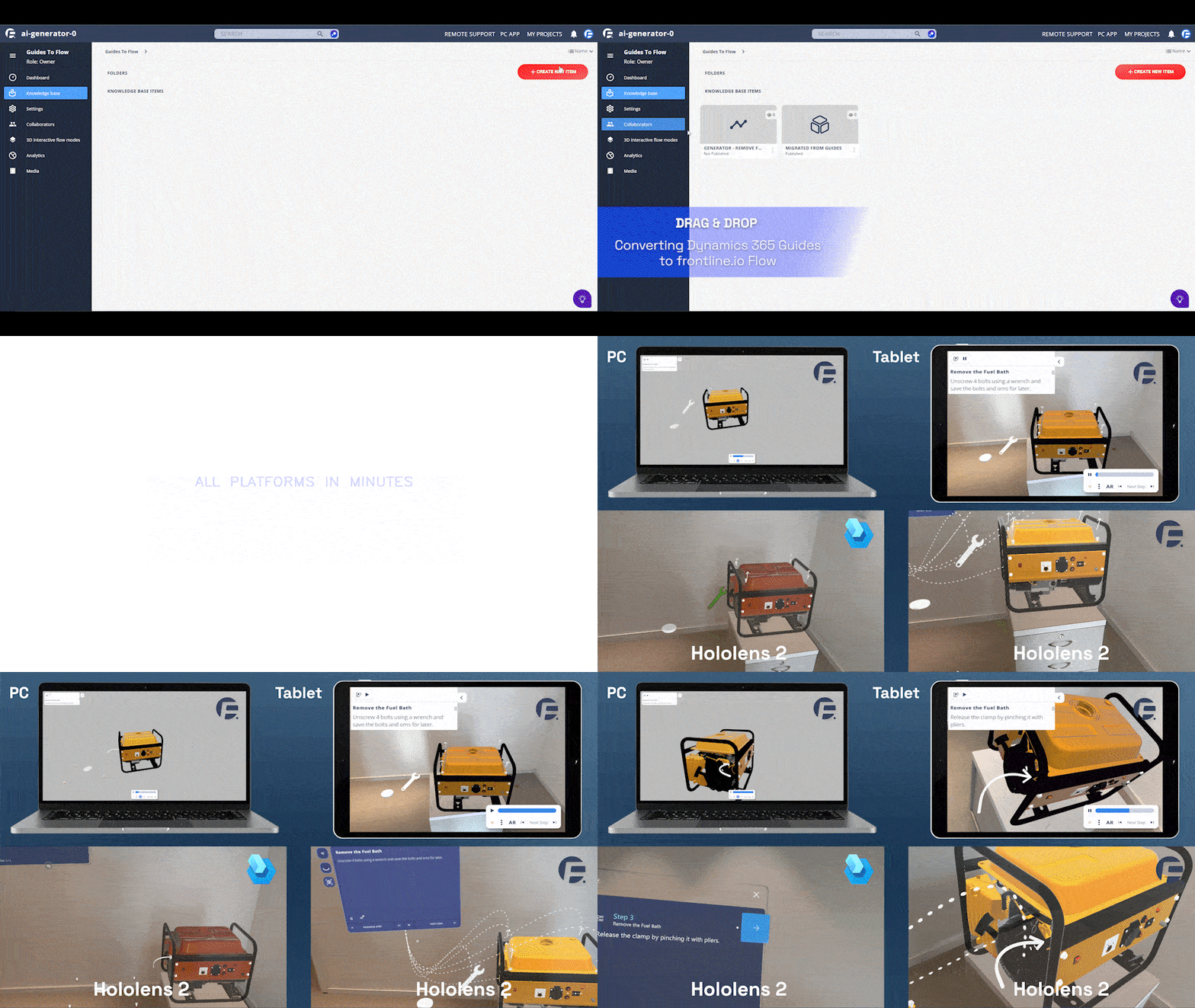
Microsoft Dynamics Guides Migration
Import existing Guides content directly into Interactive Flows. Step titles, descriptions, media, and flow structure are all preserved. Over 90 percent of Guides tools are available in frontline.io. Available on request.
AI built into every procedure
Interactive Flows connects to the frontline.io AI suite. Your content team builds faster. Your technicians execute smarter.
Doc to Flow
Turn existing documentation into structured Interactive Flows automatically. Upload SOPs, manuals, or technical guides as PDF, Word, or plain text. The AI parses the content and builds a complete, structured flow in minutes. Your team reviews and refines. They do not rebuild.
Translate with AI
Break the language barrier in industrial procedures. Translate any flow into multiple languages while preserving structure, logic, and technical accuracy. Add a new language without disturbing the rest.
AI Insight
Help your technicians find the right procedure, follow step-by-step guidance, and improve workflows in real time. AI Insight is grounded in your workspace knowledge base so guidance is always accurate and context-aware.
Engineered for industrial reality
Industrial environments do not tolerate approximations. Interactive Flows is built for the conditions your teams actually face.
Any device. Any reality
One flow runs on iOS and Android, PC and Mac, Microsoft HoloLens 2, HMS SiNGRAY G2, and supported VR headsets. In AR, VR, mixed reality, or guided 2D mode on any device. The procedure adapts. The content stays identical.
No-code procedure creation
The Interactive Flow Editor requires no coding and no specialist skills. Subject matter experts build and publish procedures directly. Updates go live the moment they are published.
Built for enterprise. Ready for the field
Flows are always up to date. Version history tracks every edit and published state, so you always know what is live in the field. SOC 2 Type II certified across the full frontline.io platform. SSO-ready. Role-based access control across every workspace. Built to pass enterprise IT security review.
Real-time analytics
Every flow run is recorded automatically. Steps performed, decisions taken, and completion status are captured in real time. Data is compatible with leading AI and BI systems.

Cross-platform. Cross-reality, Cross-use case
frontline.io is a unified cross-platform, cross-reality, and cross-use-case system for complex industrial equipment. The same Interactive Flow and the same Digital Twin run across every device your team uses. No rebuilding for each platform.
Frequently asked questions
Your technicians should never have to guess
Guided procedures eliminate improvisation. They standardise quality, protect institutional knowledge, and run on every device your team already uses.