

Microsoft is retiring Guides. Your content is not.
Every guide, checklist, animation, and workflow your teams built for HoloLens is at risk. frontline.io migrates it automatically. Nothing rebuilt. Nothing lost.
-
Everything your teams built. Intact.
-
Every device. Not just HoloLens.
-
No rework. No starting over.
Zero
Manual Rework
Minutes
to migrate hundreds of guides
Complete
Guides file import
Dec 2026
Microsoft end-of-support date
From Guides to frontline.io. In minutes, not months.
Your .guides file is all you need. No specialists. No rebuilding. No delays.
01
Export your guide
Export your existing guide as a (.guides) file from the Power Apps Guides interface in Microsoft Dynamics.
02
Import and convert in frontline.io
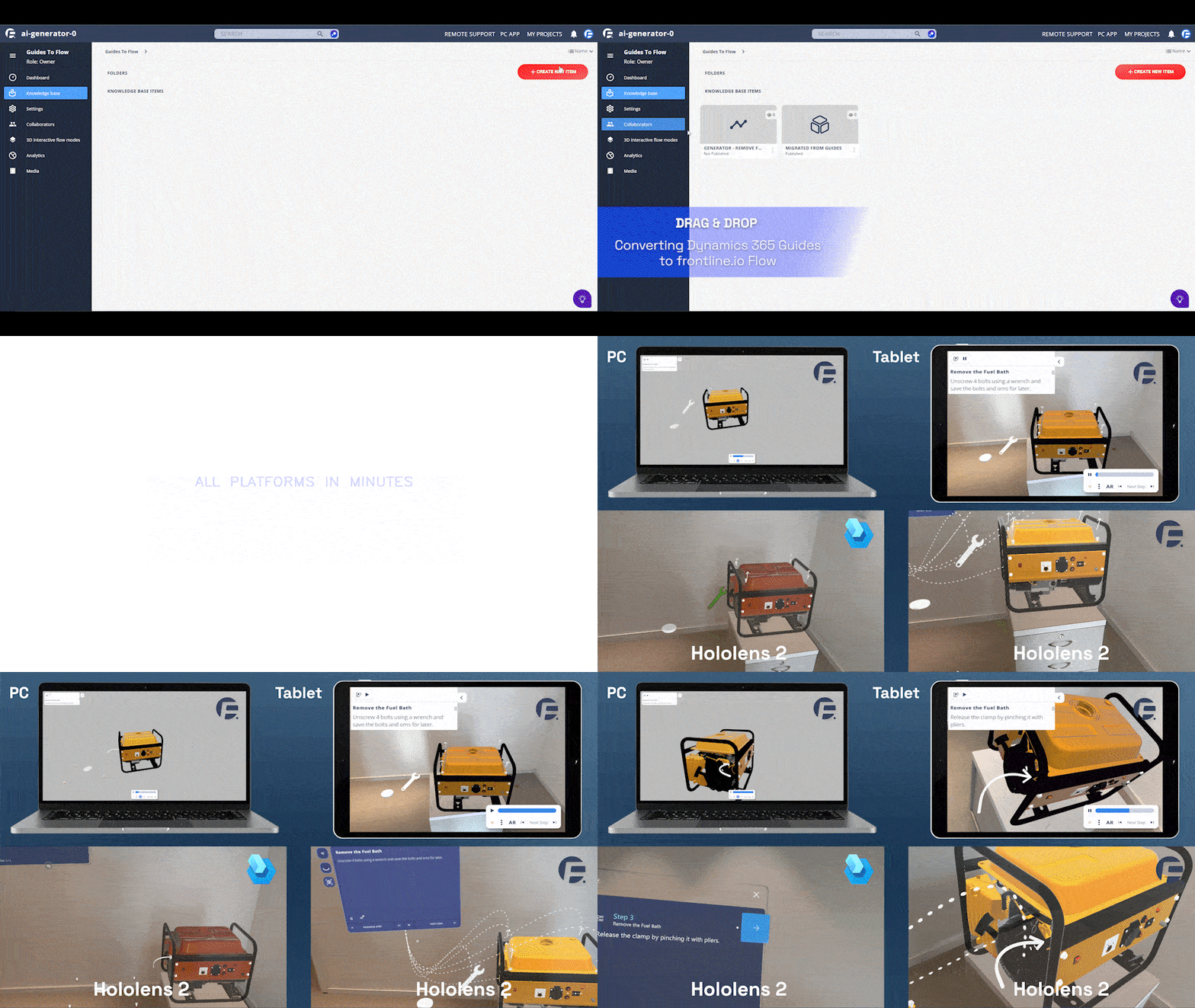
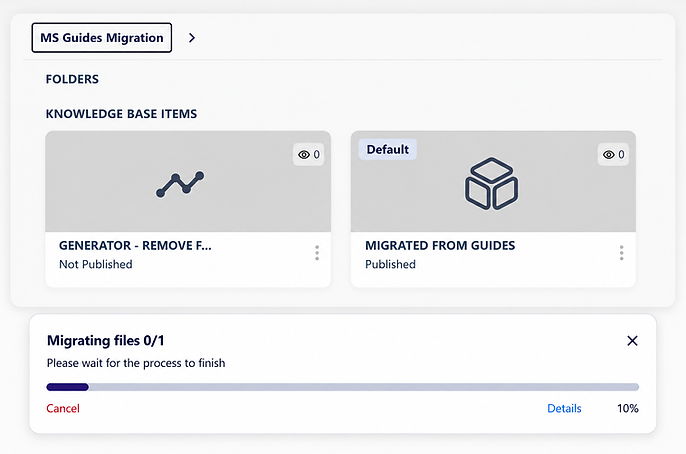
In your frontline.io Knowledge Base, create a new Interactive Flow. Click Import, drag and drop your (.guides) file, and let frontline.io automatically convert step titles, descriptions, media, animations, interactions, and 3D tools.
03
Verify and deploy everywhere
Open the flow in the frontline.io Builder to review animations, tool positions, and content accuracy. Once confirmed, deploy the same guide across AR, VR, MR, desktop, tablet, and mobile.
What your teams built comes with them
Your teams built it. It should survive.

Animations and interactions, exactly as they were
Every animation and interaction transfers with the same timing, placement, and behavior. No reconfiguring. No rebuilding from memory.
3D tools, organized and ready
Migrated tools are automatically sorted into a dedicated Migrated Tools folder. Find, review, and deploy without touching anything else.
Step content and media
Step titles, descriptions, images, and videos all transfer. The structure and flow order of your guide is preserved.
AR-ready from the moment it lands
Migrated content is optimized for AR. Workflows run smoothly in AR manual placement mode, even without an existing mesh.
Migration is only the beginning
Your migrated content connects to the full frontline.io platform: training, support, analytics, and Digital Twins from the same source.
Connect to a 3D Digital Twin
Link your migrated flows to a Digital Twin of the real equipment. Add X-ray views, parts identification, and 3D assembly exploration that Guides never offered.
%201%20(1).png)
Let experts support teams through migrated flows in real time
When a technician following a migrated flow needs help, Remote Assist connects them to a remote expert instantly. Live AR annotations, shared view, no travel
Train teams on migrated content before they touch the machine
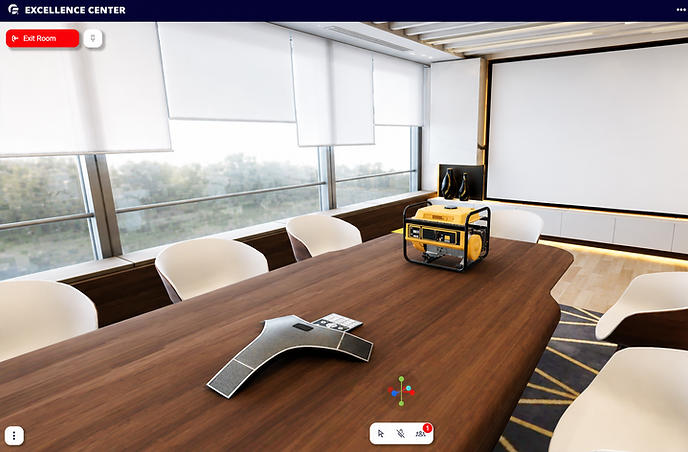
Move migrated procedures into Immersive Training. Teams train around a Digital Twin of the real equipment. No classroom. No travel.
See how teams use migrated content from day one
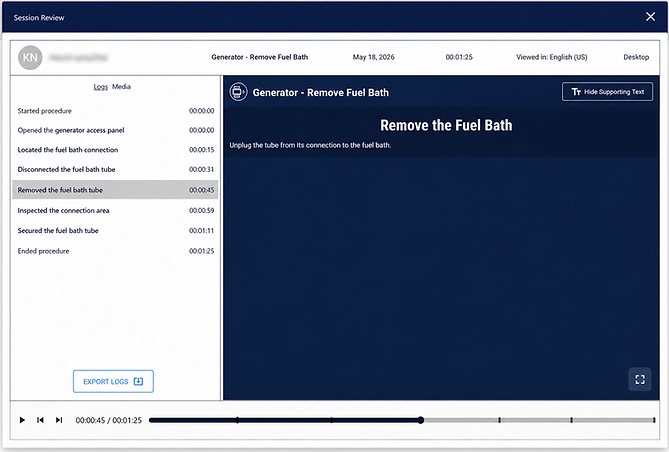
Real-time monitoring and recording of every migrated flow run. Understand usage, identify gaps, and improve continuously.
AI built into every migrated flow
Once your Guides are in frontline.io, the AI Suite helps teams find the right procedure, improve content, and work in any language.
Knowledge Hub
A centralized, searchable repository of all your Digital Twins, Interactive Flows, procedures, and parts data — accessible to every team, on any device.
Translate with AI
Translate migrated flows into multiple languages so global teams can use the same procedures without rebuilding content.
AI Insight
Helps technicians find the right migrated procedure in real time. Searches across flows and documents and automatically loads the correct flow when identified.
Doc to Flow
Extend migrated content with new knowledge. Upload a revised PDF or Word document and Doc to Flow integrates it into your existing flow automatically.
Frequently asked questions
December 2026 is closer than it looks
Every guide your teams built in Dynamics 365 Guides needs a path forward before support ends. frontline.io migrates your content automatically and connects it to a platform built for the future of XR training, support, and operations.